Audiobooks and podcasts
Something to listen to, from the same server
Your audiobooks and the podcasts you follow live beside your films and shows, with a player made for listening. Start a book on the train, finish the chapter on the TV, and find tomorrow's episodes already on your phone.
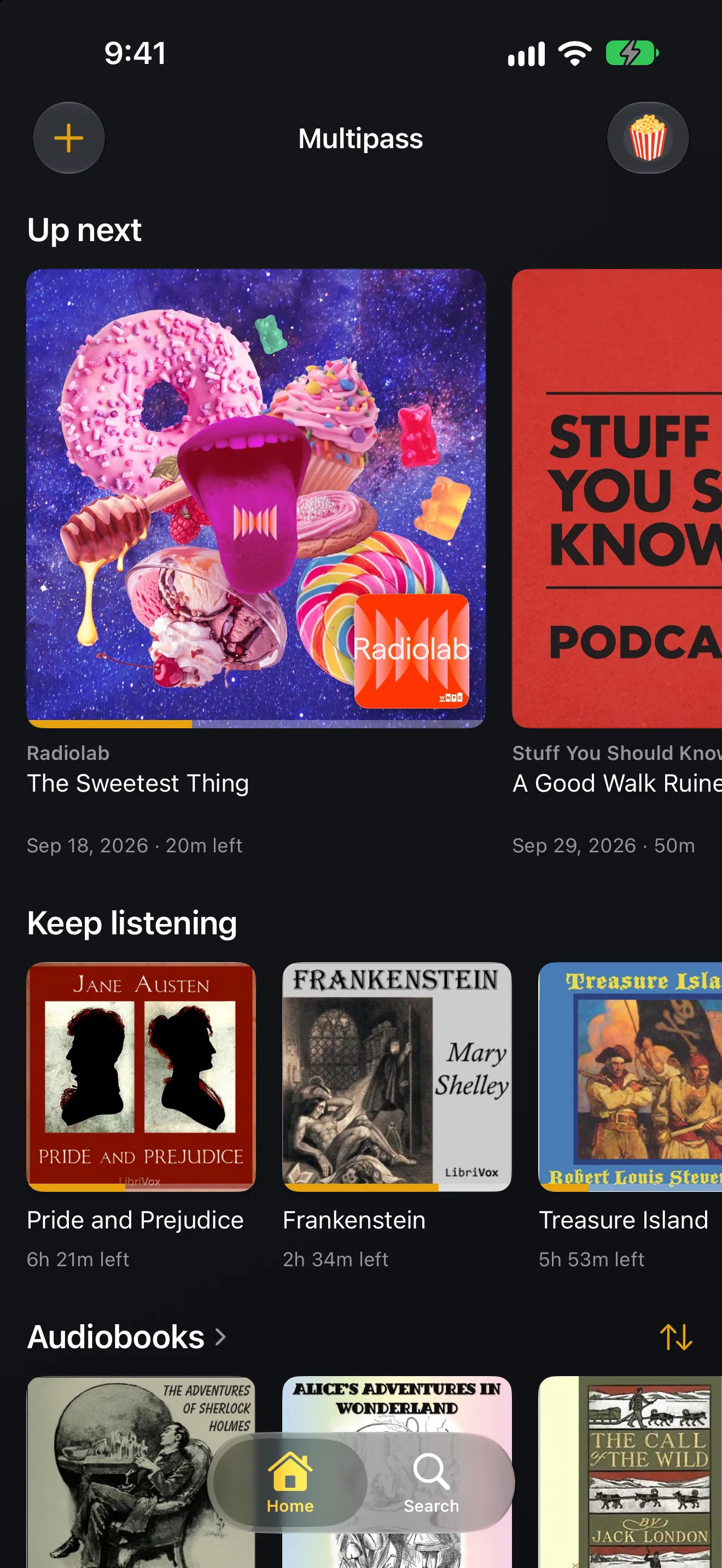
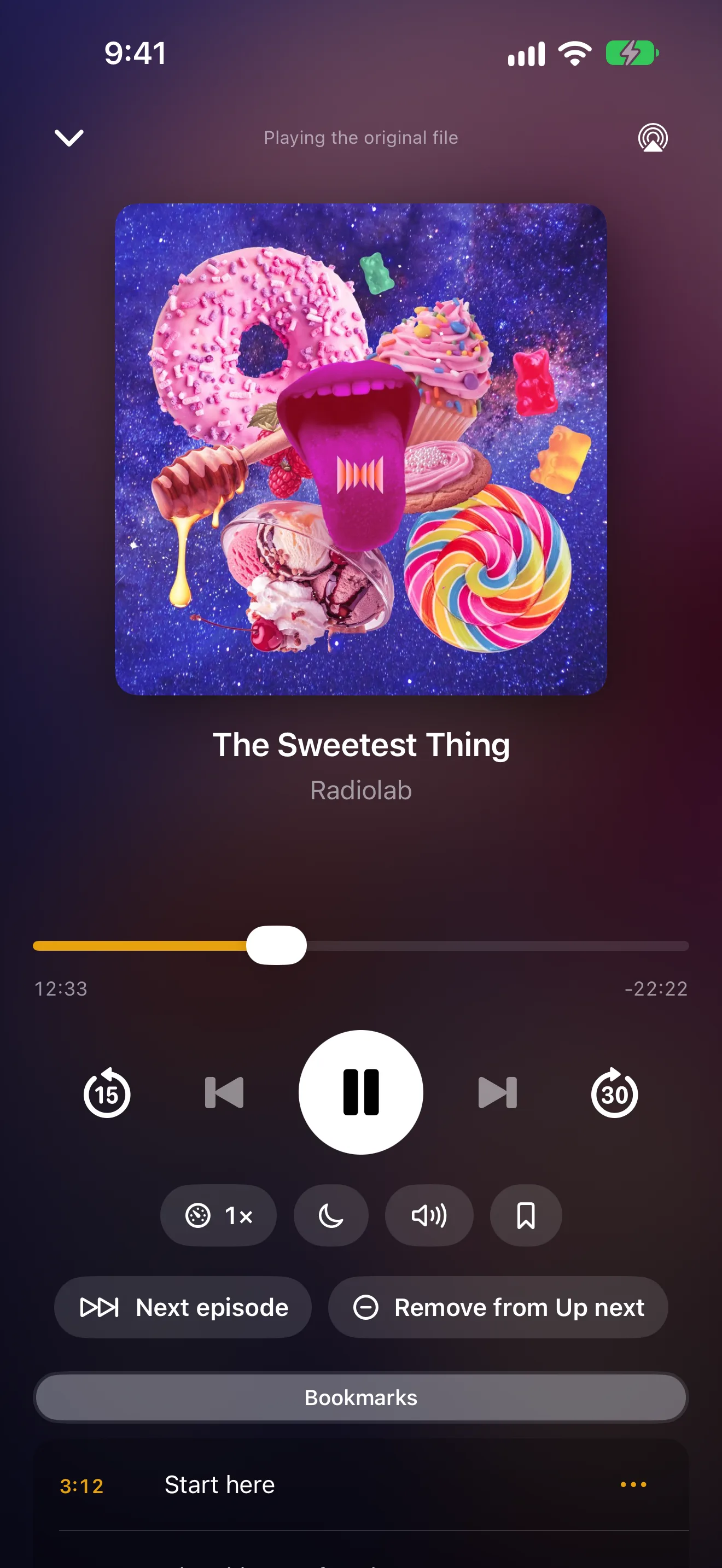
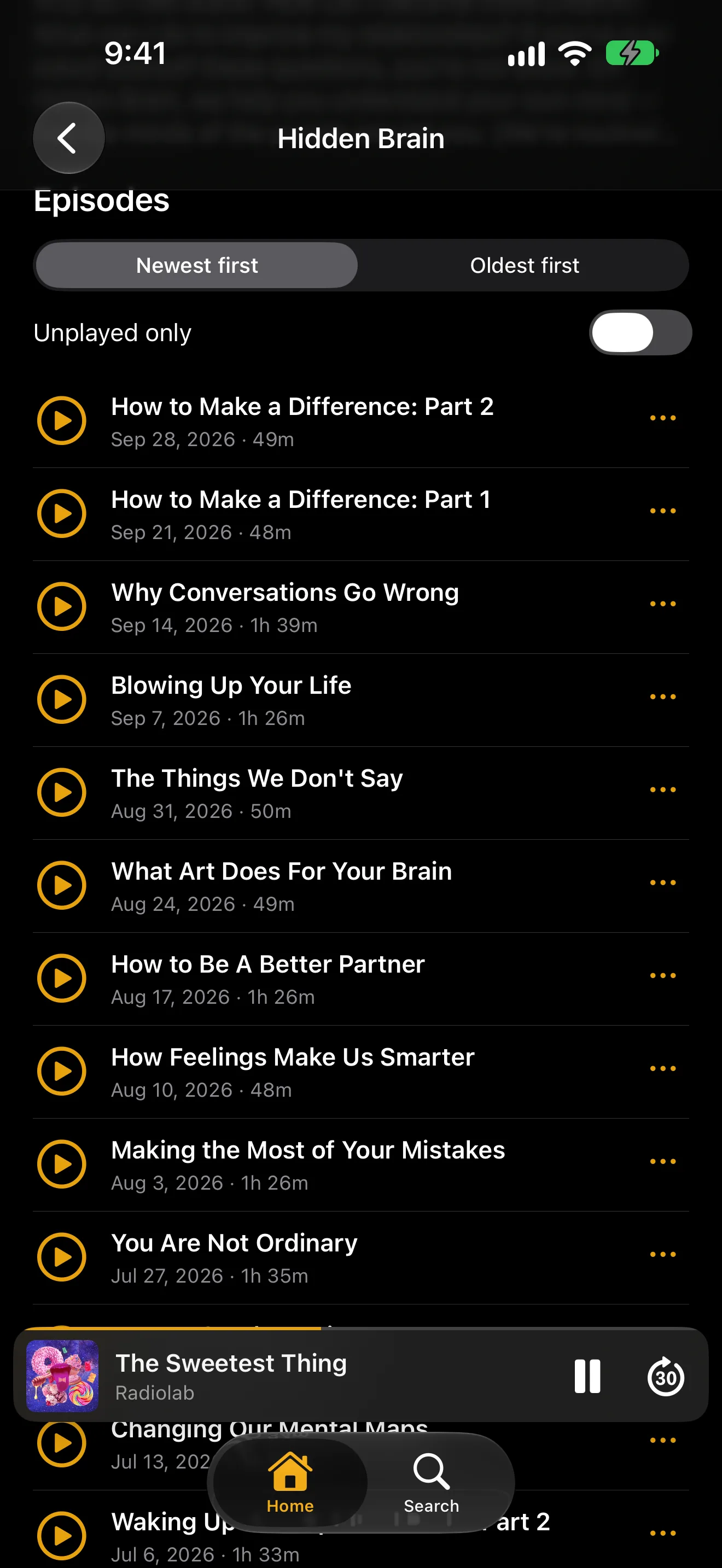
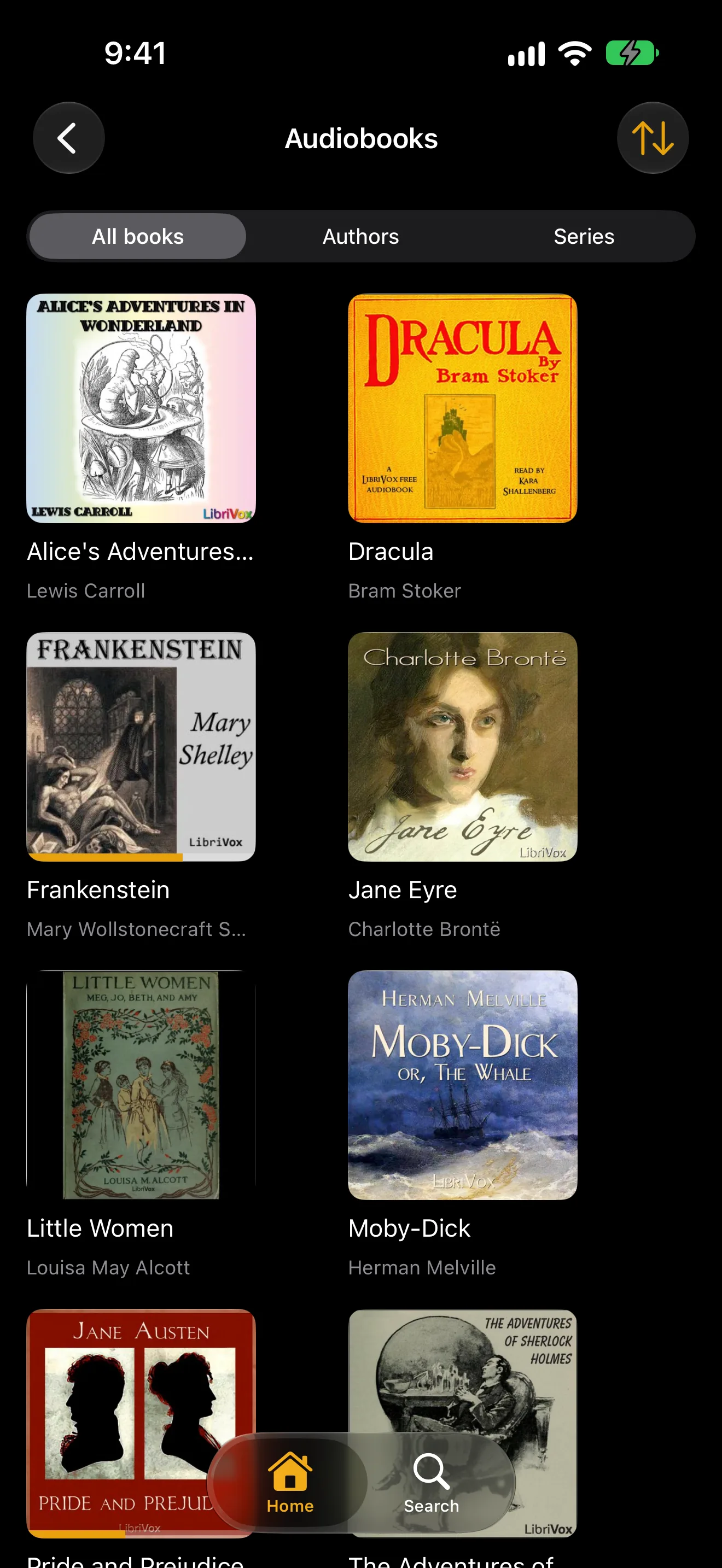
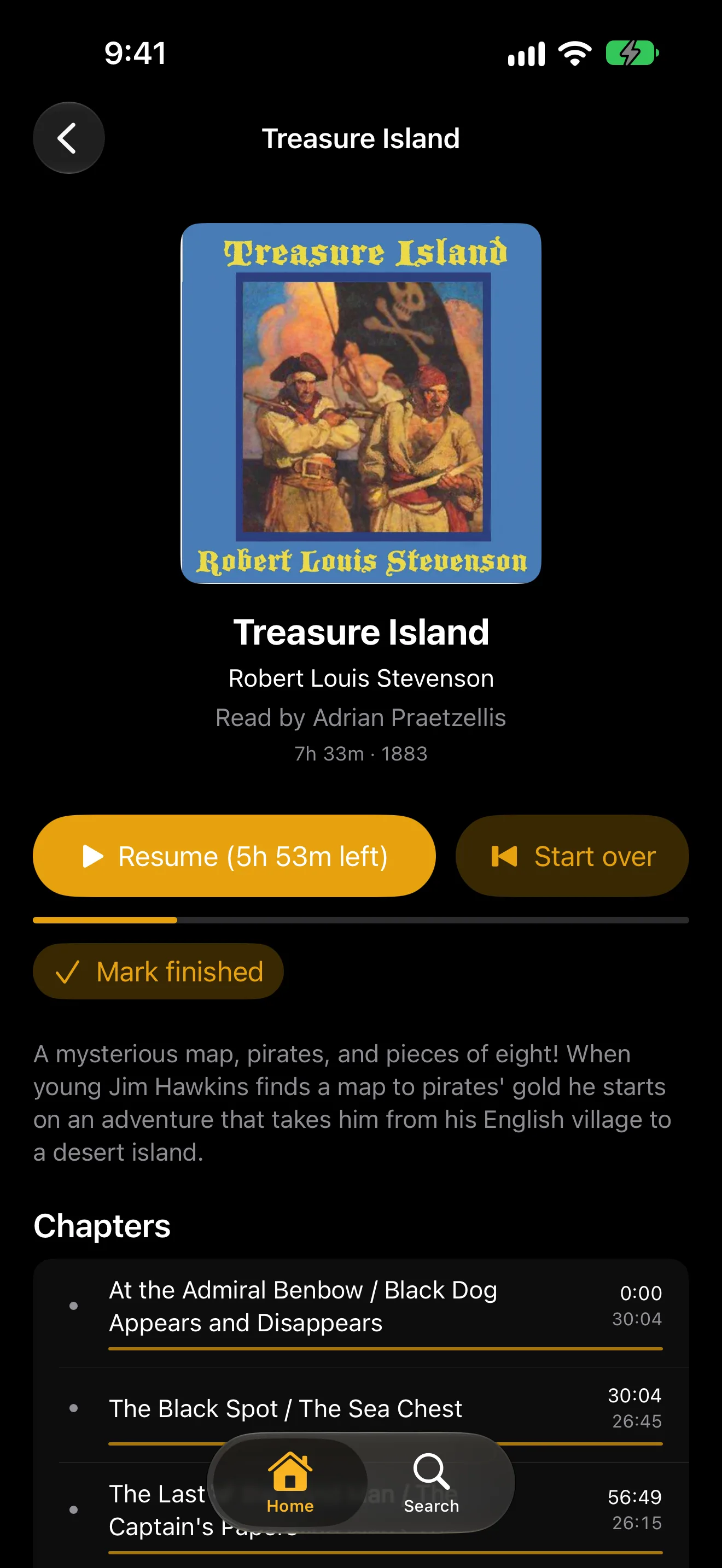
An audiobook library and a book, on iPhone.
Audiobooks
Drop in a folder, get a bookshelf
A book that came as forty separate files plays as one book, with one place and a proper chapter list. Covers, authors, narrators and series fill in on their own.
- Chapters, read from the file or filled in from the book's listing.
- Bookmarks with a note, so you can find the bit you wanted to quote.
- Change the speed without the voices going squeaky, remembered for each book.
- A sleep timer that stops after a set time or at the end of the chapter.
- After a pause it backs up a few seconds, so you do not lose the thread.
- Browse your shelf by title, by author, or by series.
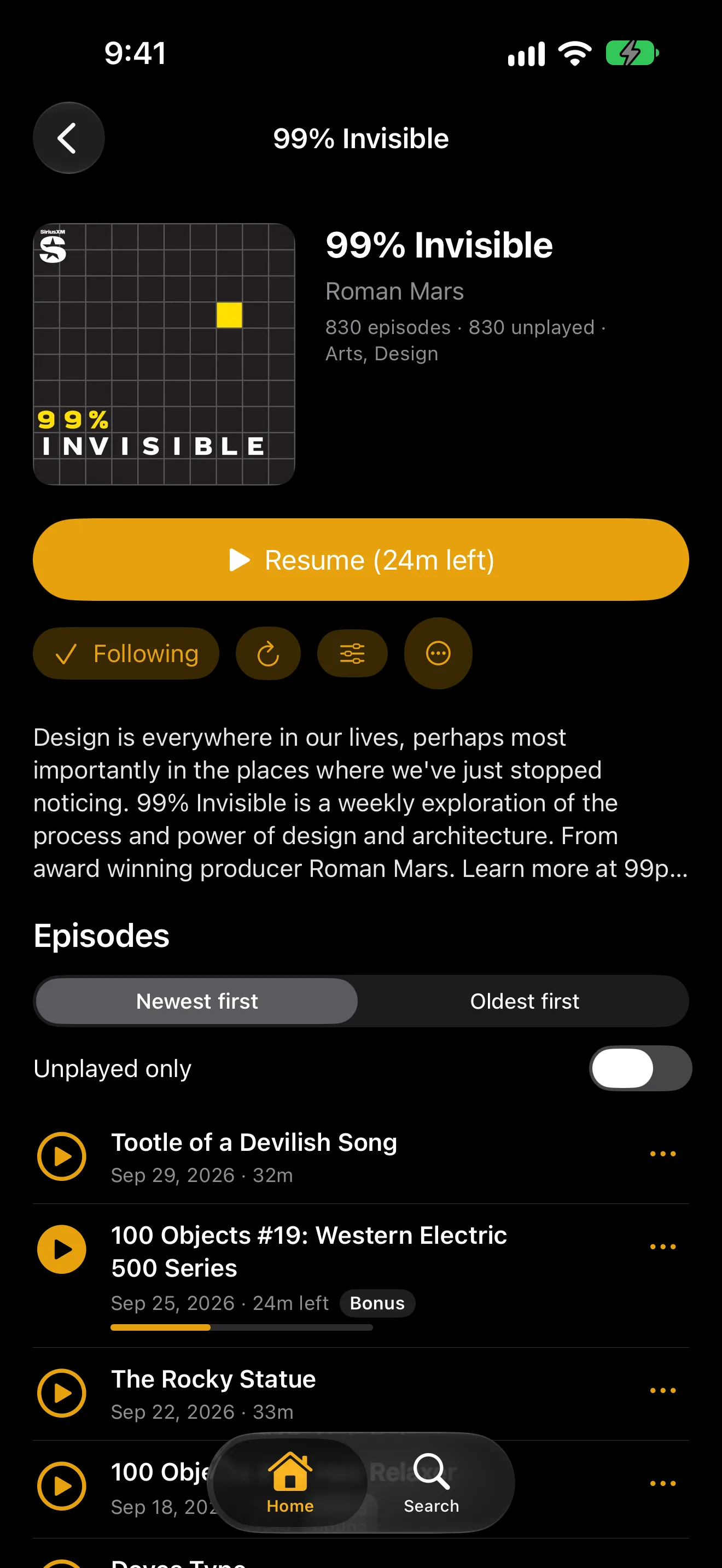
A show you follow, on iPhone.
Podcasts
Follow a show and the next episode is waiting
Your server checks the shows you follow and fetches new episodes as they come out. Up Next keeps one episode from each show at the top of your home screen, and when one ends, the next one plays.
- Add a show by searching for it, pasting its feed, or importing your list from another app.
- Browse the top charts and categories for your country, and play an episode before you follow.
- Each person follows their own shows. One library serves the whole house.
- Per show: your own speed, and skip a set number of seconds at the start or end of every episode.
- Read along with the transcript when a show publishes one, and tap a line to jump there.
- A child's profile never sees a show marked explicit, in Browse or in search.
On your phone, and when there is no signal
New episodes download themselves
Turn it on for your iPhone, iPad or Android phone and the newest episodes of the shows you follow arrive on their own, on Wi-Fi unless you say cellular is fine. A quiet notification tells you what came in, and finished episodes clear themselves out a day later.
Books download too
Download a whole audiobook or a single episode by hand whenever you like. Where you got to while offline goes back to the server the moment you are connected again.
Offline looks like normal
Open the app with no connection and you get the usual screens, showing just what is on your phone. When the server is back, everything else comes back with it.
Keep listening while you look around
On iPhone, iPad, Android phones and tablets, and in the browser, the player folds into a bar at the bottom with play, pause and a 30-second skip. Tap it to open the player again.
Interruptions back up a little
When a call, a voice assistant or a navigation prompt pauses an episode, it picks up a couple of seconds earlier, so you never miss the end of a sentence.
One place, every device
Your position, bookmarks and speed follow you between your phone, the TV and the browser, for each person in the house.
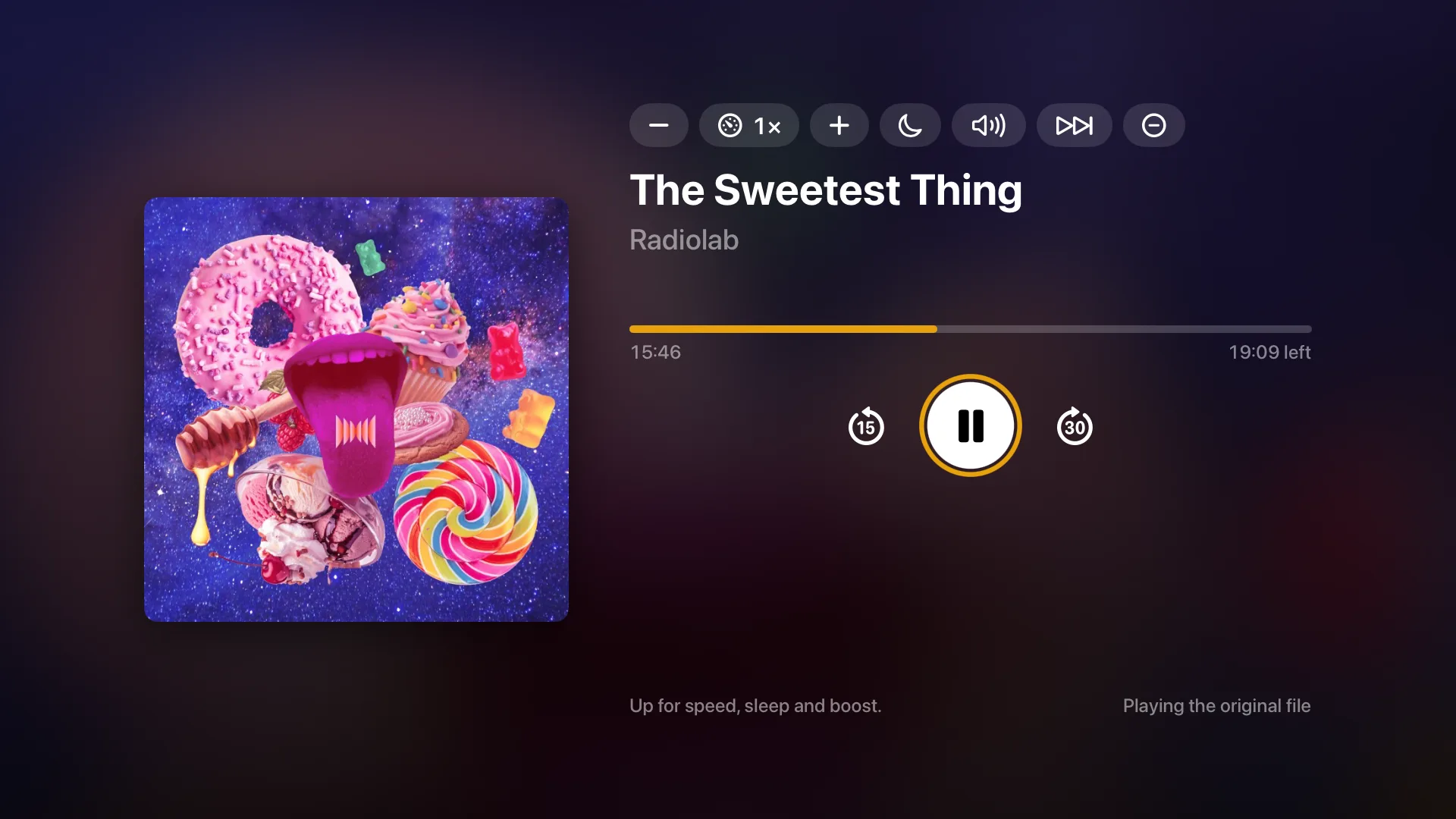
A podcast playing on Apple TV.
On the TV
Lean back and press play
The TV apps keep it simple: your books and shows on the home screen, Up Next, and a full-screen player you can drive with the remote. Follow a new show from Browse without picking up your phone.
- On Apple TV, Google TV and in the browser's big-screen layout.
- Speed, the sleep timer and chapters are all there on the remote.
- Adding shows by feed, bookmark notes and show settings stay on phones and the browser.
The details
- A book is one folder, however many files it came in. The server stitches the parts into one timeline, so position, chapters and bookmarks are all in book time, and a Disc 1 or Part 2 subfolder folds into its book. Folders follow the Audiobookshelf layout (Author, Series, Title) and its sidecar files are read, never written.
- Files play as they are wherever the device can play them, over the relay too, with an audio-only stream as the fallback. Book details come from the Audible catalog through Audnexus, then Open Library and Hardcover. Audible .aax files carry DRM and are skipped with a log line; nothing is ever decrypted.
- The owner can edit a book's chapters (the edit is kept on the server; the files are never written to) and merge a many-file book into one .m4b, which is also what a phone downloads.
- Podcast feeds are fetched by your server, hourly by default and adjustable from 15 minutes to a day. Episodes stream through your server rather than from the podcast host to each app. Server copies of new episodes are off by default and can be turned on per show.
- Search uses Apple Podcasts with Podcast Index to resolve feeds. Browse shows the Apple Podcasts top chart and its 19 category charts for your country, rebuilt every six hours, plus shows the owner features and shows that the ones you follow recommend.
- Automatic downloads are planned by your server: when a followed show posts an episode, it works out the newest few for each phone that opted in and sends one push per batch. The push carries no show or episode names; the phone looks them up from your server and writes the notification itself. It skips when the phone has under 2 GB free.
- Trimming silence is on the Android app only for now. The Apple apps and the browser do not have it yet. Volume boost is on the player for quiet recordings.
- Listening counts as a stream like any other: free at home, and part of the subscription away from home. Downloads, automatic ones included, are part of the subscription, as they are for films.
Setting it up
An audiobook library is a folder, the same as films. A podcast library needs no folder at all. Both take a minute from the server settings.
Questions
Does this cost extra?
No. Audiobooks and podcasts are part of the free tier at home, like everything else on your own network. Listening away from home and downloads come with the same subscription that covers films, and Multipass never charges for them separately.
Can I bring the shows I already follow?
Yes. Export your list from your current podcast app as an OPML file and import it. It can mark the episodes that are already out as played, so you are not faced with hundreds of them.
Will it play my Audible books?
Not the protected .aax files Audible gives you, which are skipped. Books you own as ordinary audio files, such as MP3 or M4B, play fine.
Does everyone in the house share one list?
No. The library is shared, but each person follows their own shows and has their own Up Next, place in every book, and bookmarks.
Help decide what gets built next
Multipass is in active development, and what gets built next comes from what people actually ask for. The Discord is where that happens: say what your setup needs, see what is being worked on, and hear about releases first.