Your films. Your shows. Your house.
Your media, everywhere. Without the tier games.
A media server for the films, shows and audiobooks you already own, and the podcasts you follow, with real apps on every screen in the house. Everything on your home network is free, forever, including the parts other apps charge for.
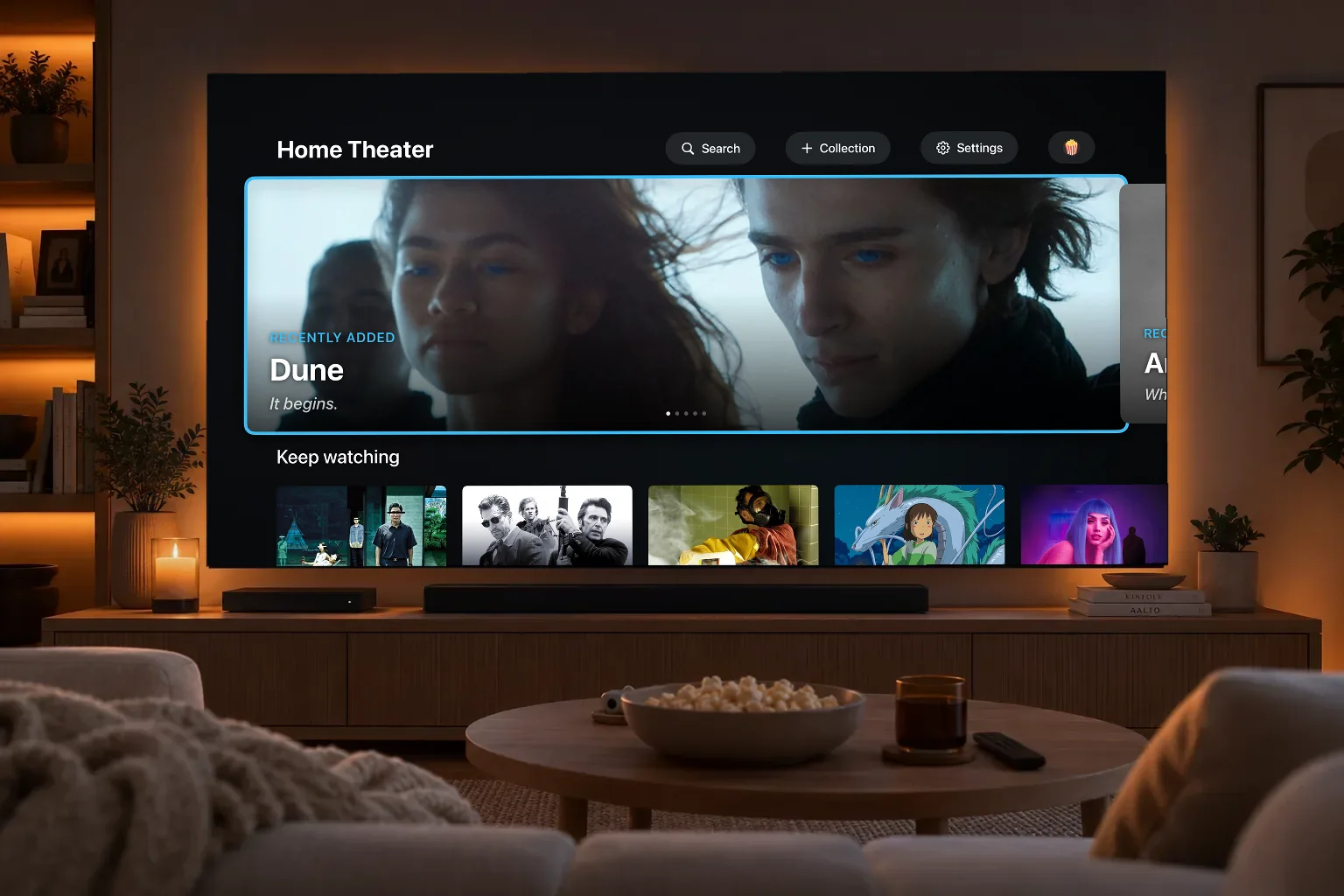
The promise
Everything on your home network is free, forever. Hardware transcoding, skip intro, profiles, parental controls, live TV, all of it. A subscription only unlocks what costs us money to run: watching from anywhere, artwork at scale, and downloads. That line never moves.
our commitment, in writing
Coming from Plex?
Bring your library, and your history, with you
Point Multipass at your Plex install and it carries across your libraries, what everyone has watched, how far into things they got, and their playlists. Nobody in the house starts from zero.
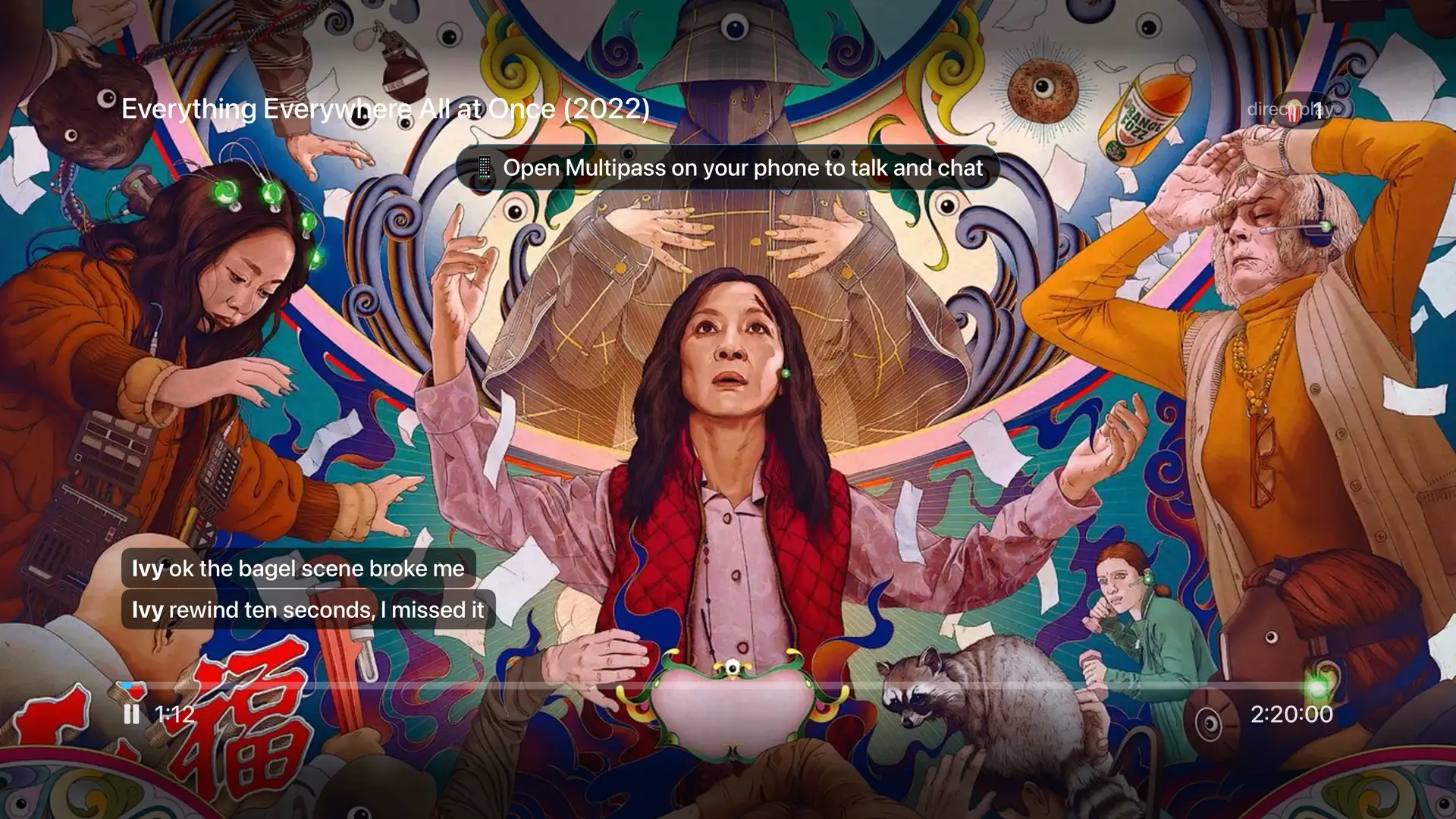
A Movie Night in progress on Apple TV.
Movie Night
Watch together when you are not together
Start a Movie Night and everyone presses play at the same moment, however far apart they are. Pause for the kettle and it pauses on every screen. Talk over the film and the film gets quieter so you can hear each other.
- Everyone stays in sync, second for second, from their own sofa.
- Chat and reactions float over the picture, sized for a TV.
- Voice chat ducks the movie while someone is talking.
- Your phone works as the microphone and the remote.
- Invite someone who does not have an account: send a link or read them a six-digit code.
The details
- Sync is a shared clock steered by the host, not a broadcast stream, so every client plays its own copy at full quality and only the timeline is shared.
- Voice is a peer-to-peer WebRTC mesh with an encrypted TURN relay fallback for networks that will not connect directly.
- Guests join through a signed short-lived grant scoped to the night and the current title only; every other endpoint returns 404 for them.
- The host can mute or remove a guest, and removing one rotates the code so the old one stops working.
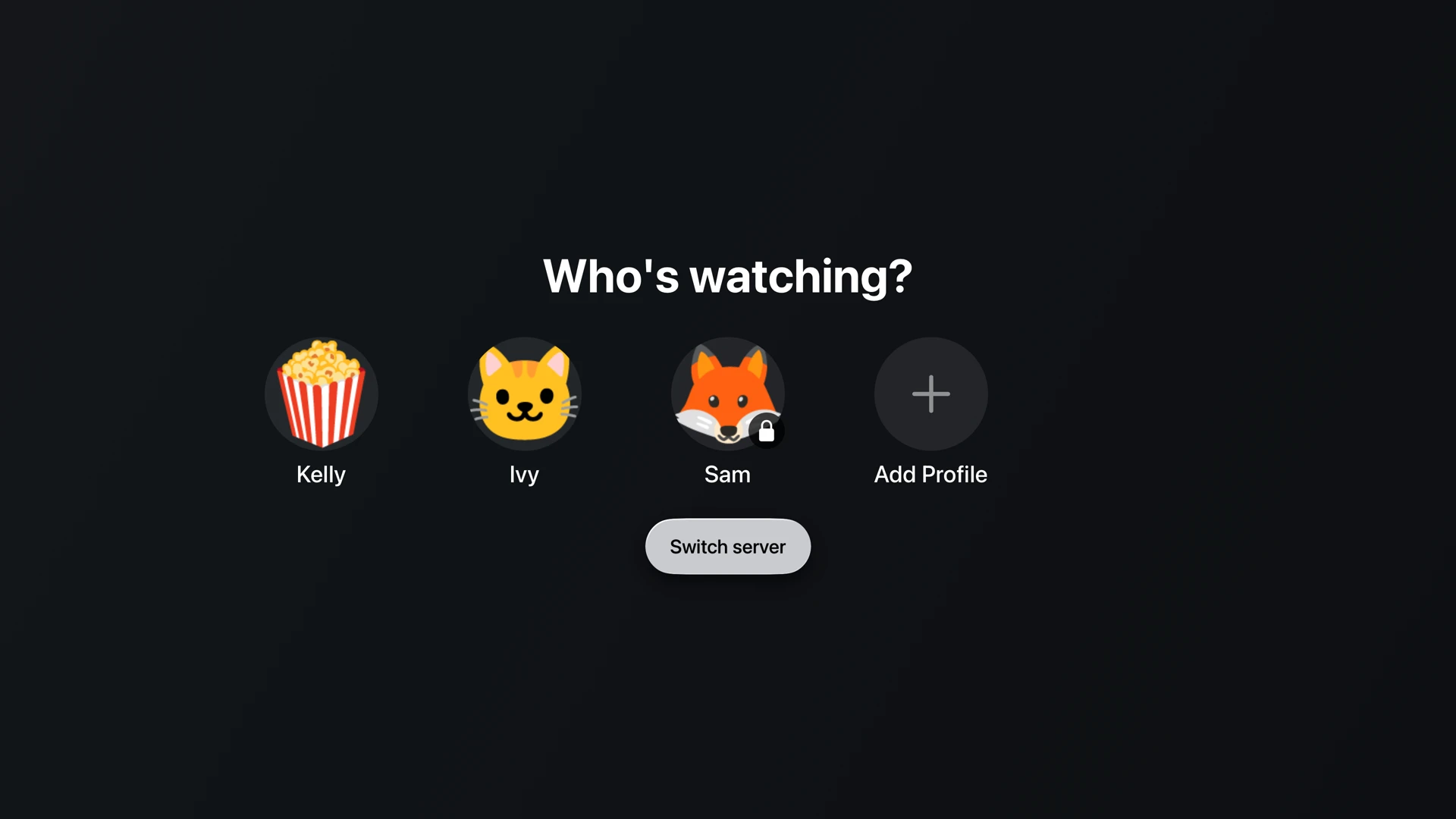
Who is watching, with a PIN-locked profile.
Everyone at home
Everyone gets their own, and the kids get theirs
Each person picks their face and gets their own Keep Watching, history, and favourites. Give a child a profile capped to the ratings you are happy with, and lock the grown-up profiles with a PIN so nobody wanders in.
- Separate history, Keep Watching, and favourites for each person.
- Cap a profile by age rating, and choose whether unrated titles show up at all.
- Lock a profile with a PIN. Anything above the cap simply is not there.
- If a child asks for something above their cap, you can approve it from your phone.
- Adults can sign in from their own phone. Nobody shares a password.
The details
- Rating caps use certifications from every country the title carries, with a configurable country preference, rather than a single hardcoded board.
- A capped profile is filtered at the server, so the titles never reach the device, and direct URL access is refused too.
- The owner PIN gates entry into the server hub, and only that. Ordinary owner actions do not re-prompt.
- Settings follow the profile across every device through the account.
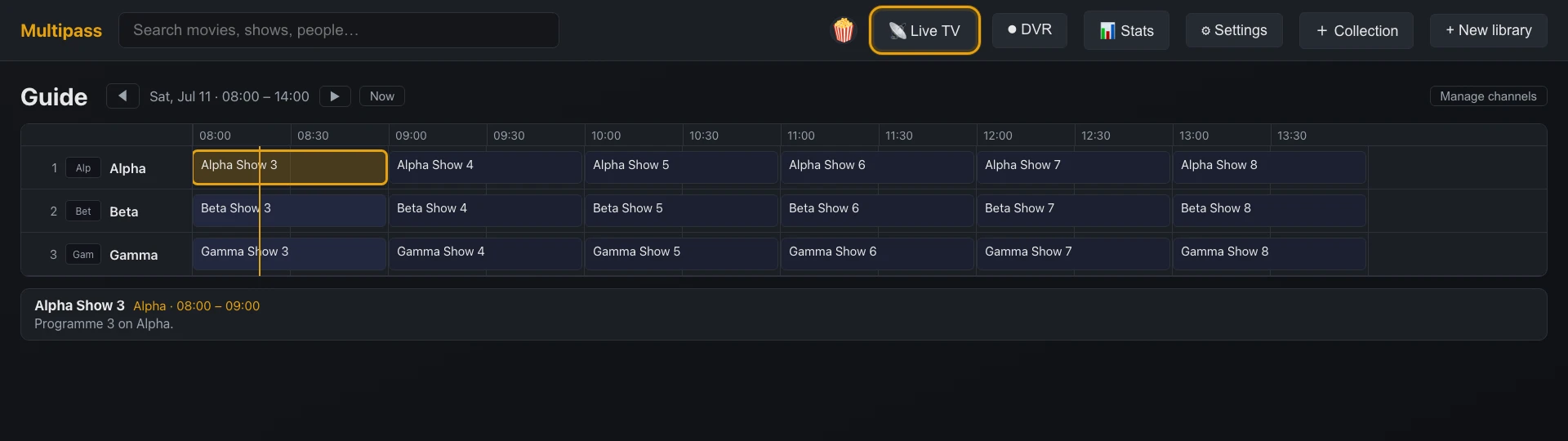
The guide: tune, record, or see what is on next.
Live TV and recording
Your channels, with a guide worth using
Bring the channels you already pay for and get a proper grid guide: what is on, what is next, and one press to record. Pause live TV when someone knocks. We never add channels you did not ask for.
- A full channels-by-time guide on the TV and in the browser.
- Pause, rewind, and fast-forward live TV.
- Record from the guide, with padding and whole-series rules.
- Recordings land in your library like anything else.
- If your provider allows several streams at once, all of them are usable.
The details
- Sources are bring-your-own M3U or Xtream playlists, or an HDHomeRun tuner on your network.
- Guide data is rich XMLTV, including programme artwork and episode identity, with Dispatcharr documented as the companion for higher-quality data.
- Multi-credential leasing means several simultaneous streams from one provider account are tracked and shared rather than colliding.
- Timeshift is a rolling two-hour buffer on disk.
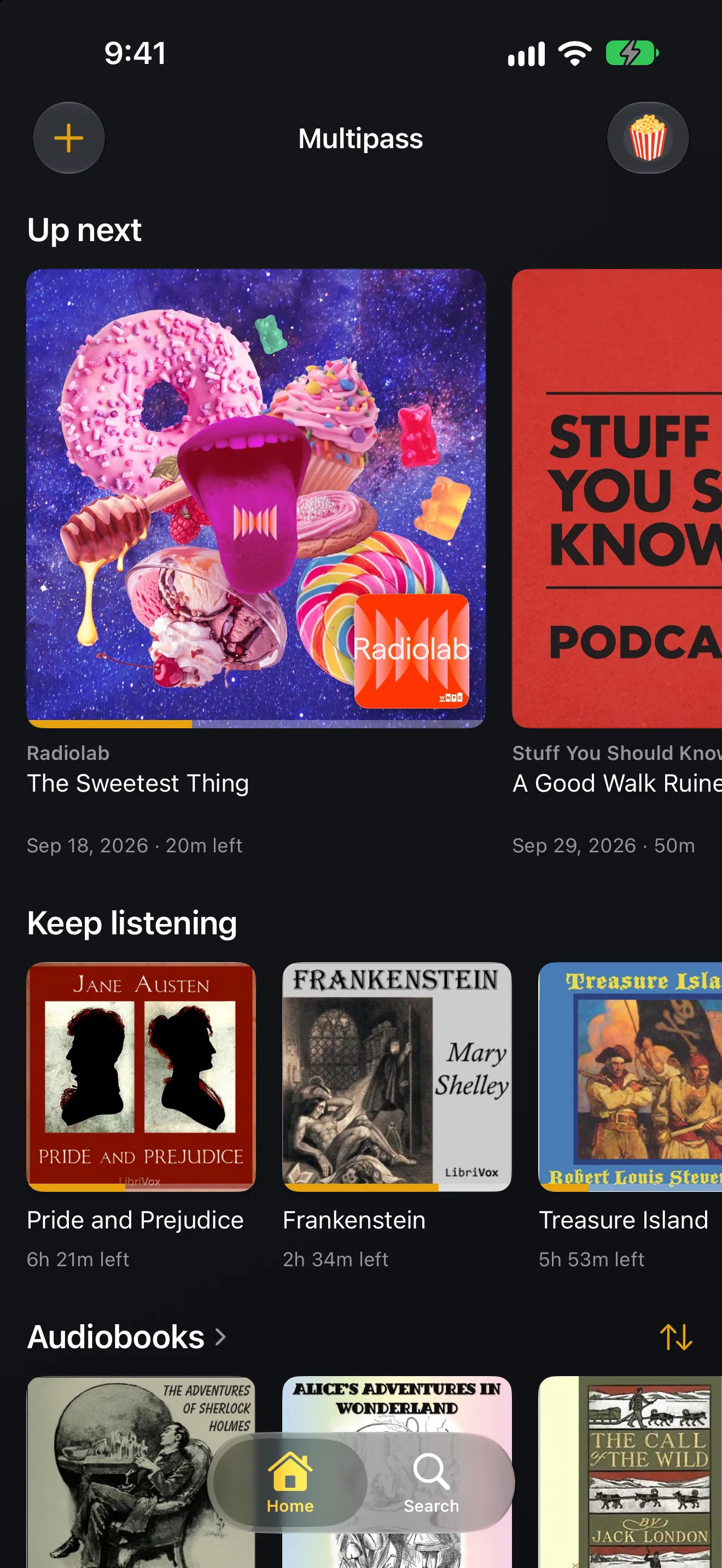
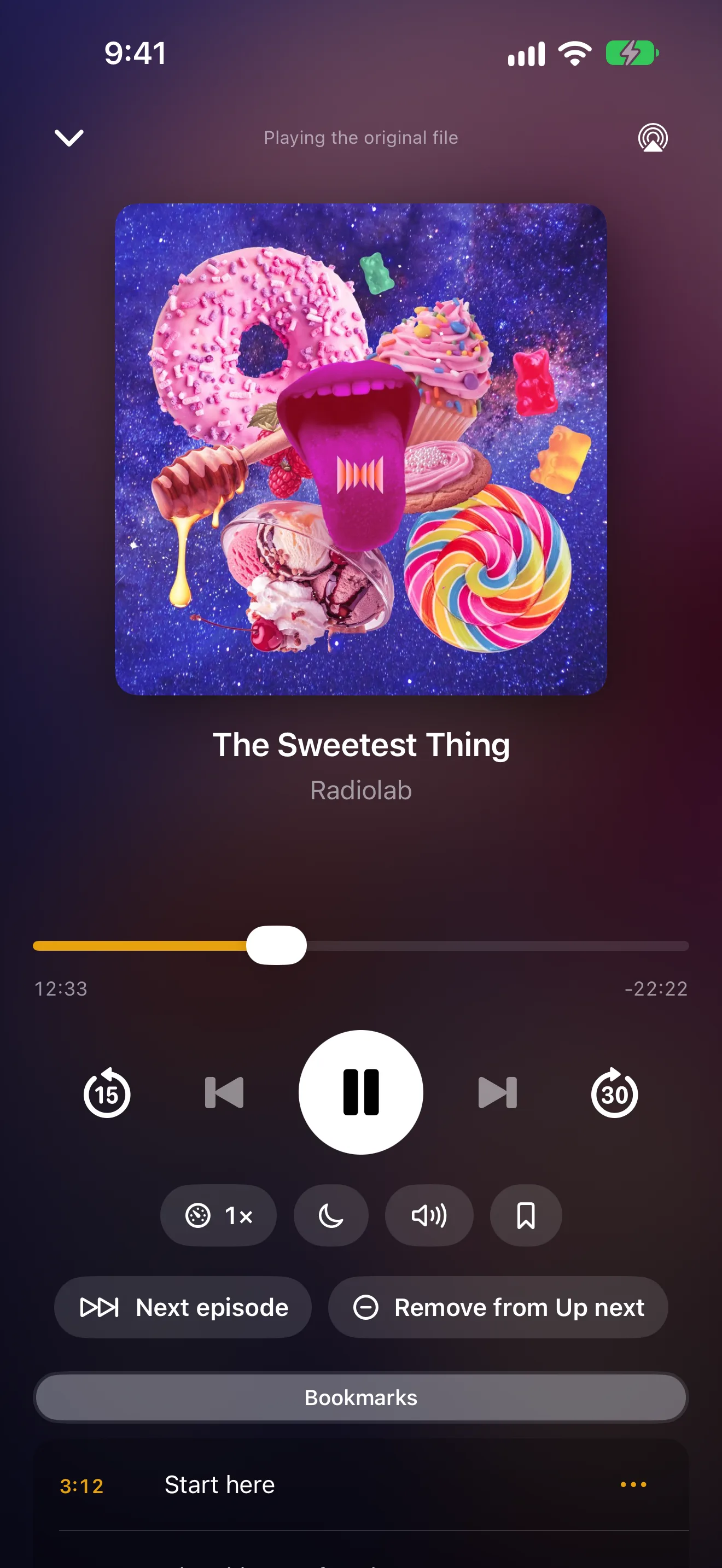
Up Next and the player on iPhone.
Audiobooks and podcasts
Your audiobooks and podcasts, in the same app
Point it at the folder where your audiobooks live and follow the podcasts you like. Books keep their chapters and your place. Podcasts line up the next episode for you, and your phone fetches new ones on its own, so they are there when the signal is not.
- Chapters, bookmarks, a sleep timer, and a speed that is remembered for each book.
- Stop on your phone and carry on from the same sentence on the TV.
- Follow a podcast by name, paste its feed, or bring your list from another app.
- Browse the top charts by category, and play an episode before you decide to follow.
- Up Next plays the next episode from the shows you follow when one ends.
- Turn on automatic downloads and new episodes arrive on your iPhone, iPad or Android phone by themselves.
- On phones, tablets and in the browser, the player folds down into a bar so you can keep looking around.
The details
- A book is one folder, however many files it came in. The parts are stitched into one timeline with one position, one length and one chapter list, and folders follow the Audiobookshelf layout (Author, then Series, then Title), sidecar files included.
- Book details come from the Audible catalog through Audnexus, with Open Library and Hardcover behind it. Audible files with DRM (.aax) are skipped, never decrypted.
- Your server fetches podcast feeds itself, hourly by default, and the apps play episodes through it. Search uses Apple Podcasts and Podcast Index; the charts are Apple Podcasts charts for your country.
- Automatic downloads are planned by your server: when a followed show posts an episode, it keeps the newest few on each phone that asked, on Wi-Fi unless you allow cellular. The notification that wakes the phone carries no show names; the phone writes the line itself.
- Trimming silence is on Android only for now. The Apple apps and the browser do not have it yet.
Offline
Take it on the plane
Download films, episodes, audiobooks and podcasts to your phone or tablet and play them with the network off entirely. Downloads keep going when you lock the screen or switch apps, and where you got to syncs back when you reconnect.
- Download at the quality you choose.
- Transfers continue in the background and resume where they stopped.
- Watch with no signal at all, then pick up on the TV where you left off.
- With no connection, the app opens as usual, showing just what is on the device.
- Your phone tells you when something has finished preparing.
- Part of the paid tier, like remote streaming. Everything at home stays free.
The details
- Background transfers use the OS download daemon on iOS and a foreground-service worker on Android, so a locked screen does not stall them.
- Remote downloads on iOS are handed a signed HTTPS URL proxied through our relay, because the OS daemon cannot reach the in-app tunnel.
- Completion notices ride APNs and FCM.
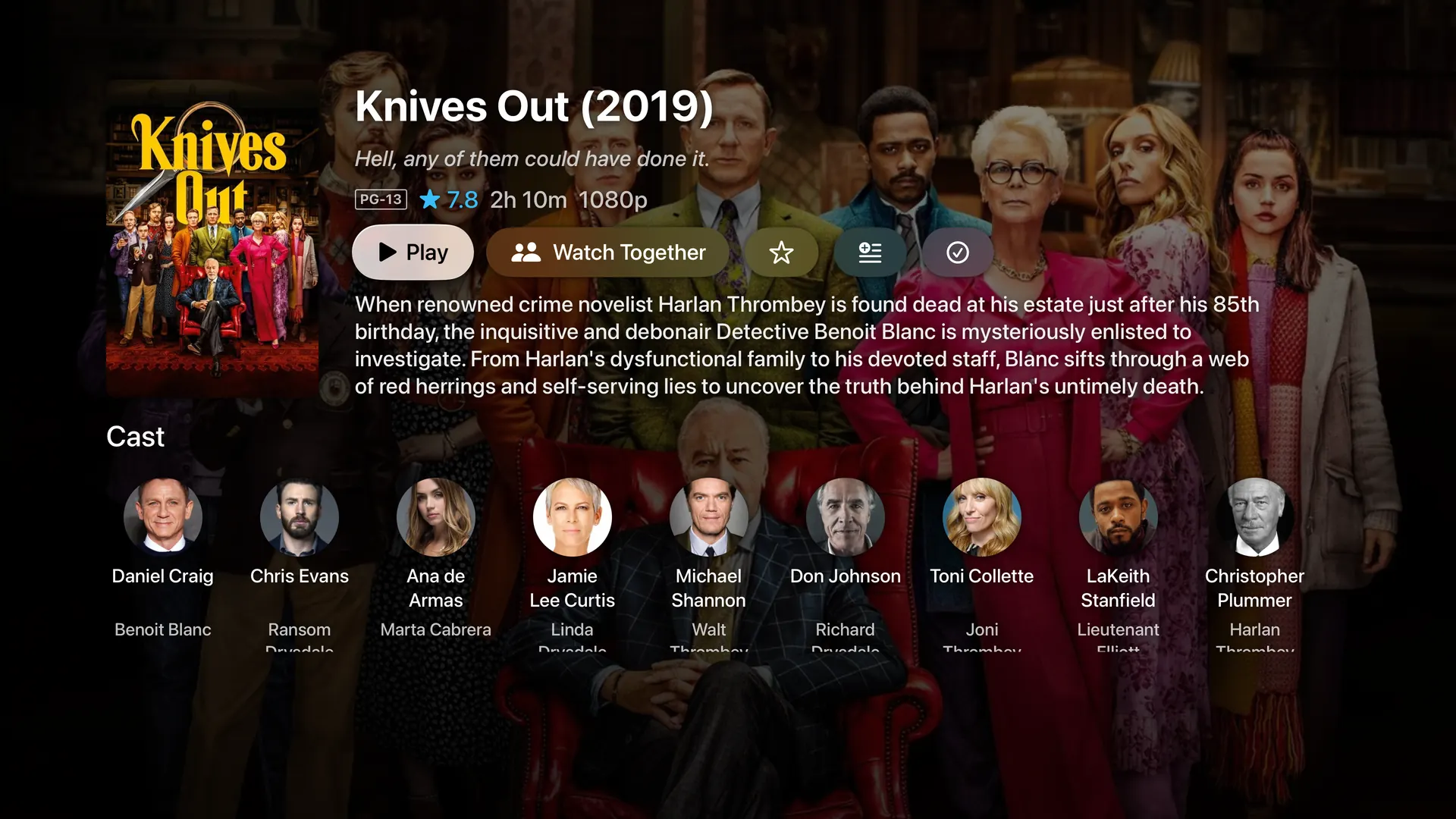
A title, with everything filled in for you.
Your collection
Organised before you ask
Point it at your folders. Posters, backdrops, cast, and descriptions arrive on their own. When it guesses wrong, fix it in one click, and your correction sticks through every future refresh.
- Films and TV identified automatically, artwork and all.
- Fix a wrong match, or edit any field by hand, and it stays fixed.
- Group things into collections, or set a rule and let the collection keep itself up to date.
- Tap any actor to see everything of theirs you own.
- Keep several cuts of the same film and choose which one plays.
- Move a library to another drive without losing what you have watched.
The details
- Matching is metadata-first for series identity, so a rename or a re-rip does not orphan your history.
- Field-level edits are locked individually, so refreshing a title updates everything except the fields you took over.
- Smart collections re-evaluate their rules on scan and on edit.
- Editions are alternate cuts of one title; the owner picks the default, and auto-advance follows the same edition by name.
And the rest of it
No add-ons, and no tiers for the basics.
It just plays, on whatever you own
The picture arrives in the right shape for the screen in front of it, whether that is a 4K TV or a phone on a train. You do not choose a format and you do not wait.
Watch from anywhere, with nothing to set up
At home, the apps find your server and start playing without a sign-in. Away from home, it connects itself. There is no router to configure and no networking to learn.
Line up an evening
Build a playlist for the night, or drop something into the queue while a film is already running. What plays next is always visible and always yours to reorder.
Set it up once and forget it
Install it on the computer where your films already live and answer a few questions. After that it looks after itself, and tells you when there is a new version worth taking.
See what is going on, and wire it into anything
A live view of who is watching what, how much has been watched, and what your household actually returns to. If you like automating things, every event is available to you.
Plugins, from a catalog we actually check
Add a metadata source for the collection nothing else identifies properly, extra detail on a film page, or a service you already use. What a plugin is allowed to do is written in plain words before you install it, and you can switch one off or remove it whenever you want.
Six looks, or design your own
Pick a look per person. If none of them suit, the person who runs the server can build one and share it with the household. Rearrange the rows on the home screen, or hide the ones you never use.
On the screens you already own
Apple TV, iPhone and iPad, Android phones and tablets, Google TV, and any web browser. The web player works today on every server, the Apple apps are on the App Store, the Android apps are on Google Play, and every one of them is free.
Help decide what gets built next
Multipass is in active development, and what gets built next comes from what people actually ask for. The Discord is where that happens: say what your setup needs, see what is being worked on, and hear about releases first.