Everyone at home
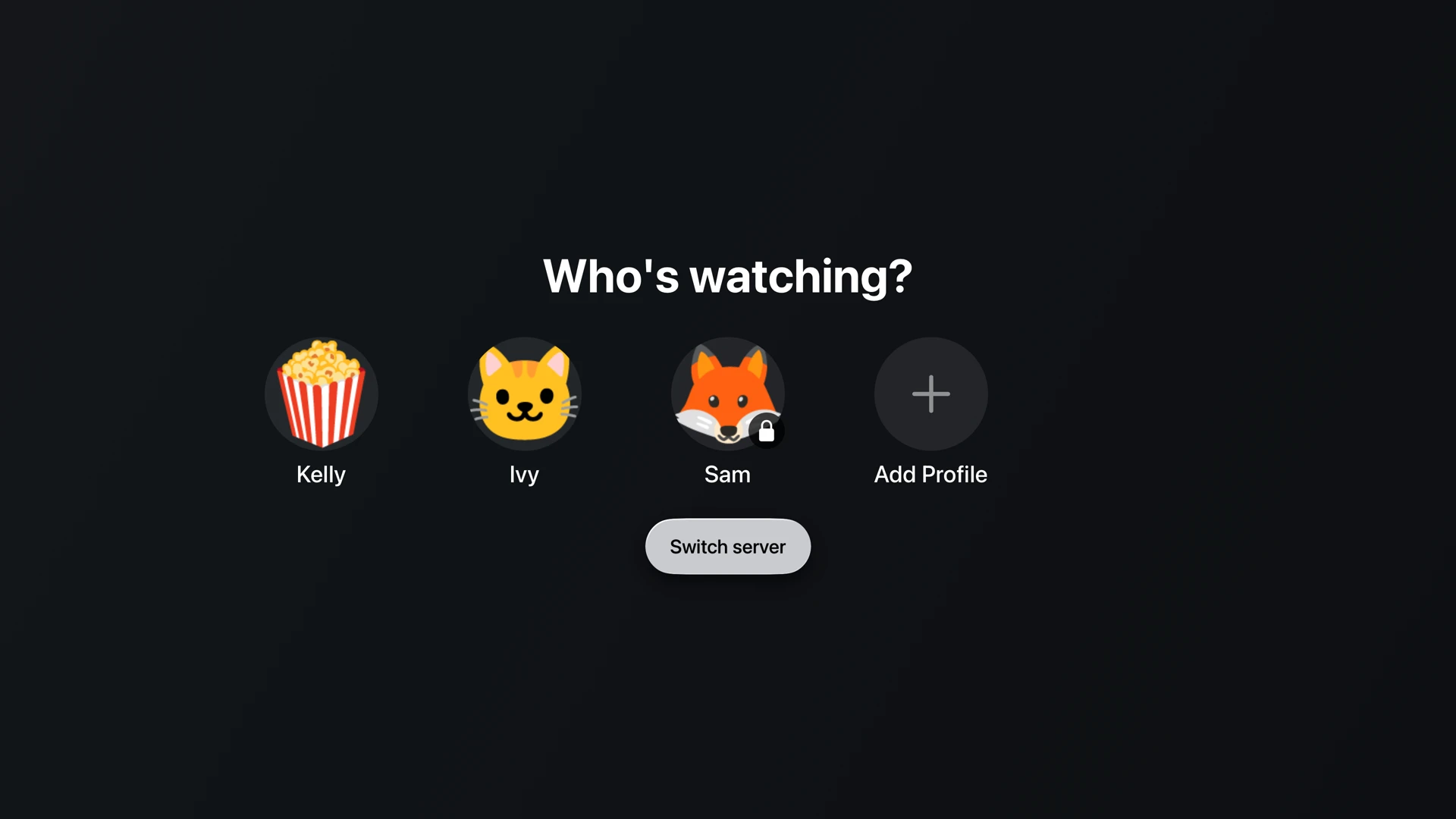
Everyone gets their own, and the kids get theirs
One server, one library, and a different version of it for each person in the house. Set a child's limit once and stop thinking about it.
The important bit
Above the cap means gone, not greyed out
A capped profile does not hide the 18s behind a warning for a curious ten-year-old to poke at. The server never sends them. They are not in the rows, not in search, and not reachable by typing an address in a browser.
Cap by age rating
Pick the highest rating a profile may see. You can also decide whether titles with no rating at all show up, which is usually where home videos and odd rips land.
Ratings from your country
We read the certification for wherever you are rather than assuming one country's board, so PG-13 or 12A or FSK 12 means what you expect it to.
PIN-lock the grown-up profiles
A four to six digit PIN on your own profile stops anyone opening it and watching as you, or wandering out of the limits you set on theirs.
Approve from your phone
When a child asks for something over their limit, the request comes to your phone. Say yes once without walking over to the TV and typing a PIN in front of everyone.
Lock the settings themselves
An admin PIN on the server settings means a limit cannot be quietly undone by whoever picks up the remote next.
Separate lives, not separate libraries
Everyone keeps their own history, Keep Watching, and favourites. Nobody has to scroll past someone else's half-finished series.
The details
- Filtering happens at the server against the item's certifications, so it applies to every app equally and to direct API access. There is no client-side hiding to work around.
- Certifications are stored for every country a title carries, with a server-wide country preference deciding which board is authoritative.
- Profile PINs are four to six digits, and the unlock is time-limited rather than permanent for the session.
- The admin PIN gates entry to the server settings hub, and only that. It does not re-prompt for ordinary owner actions.
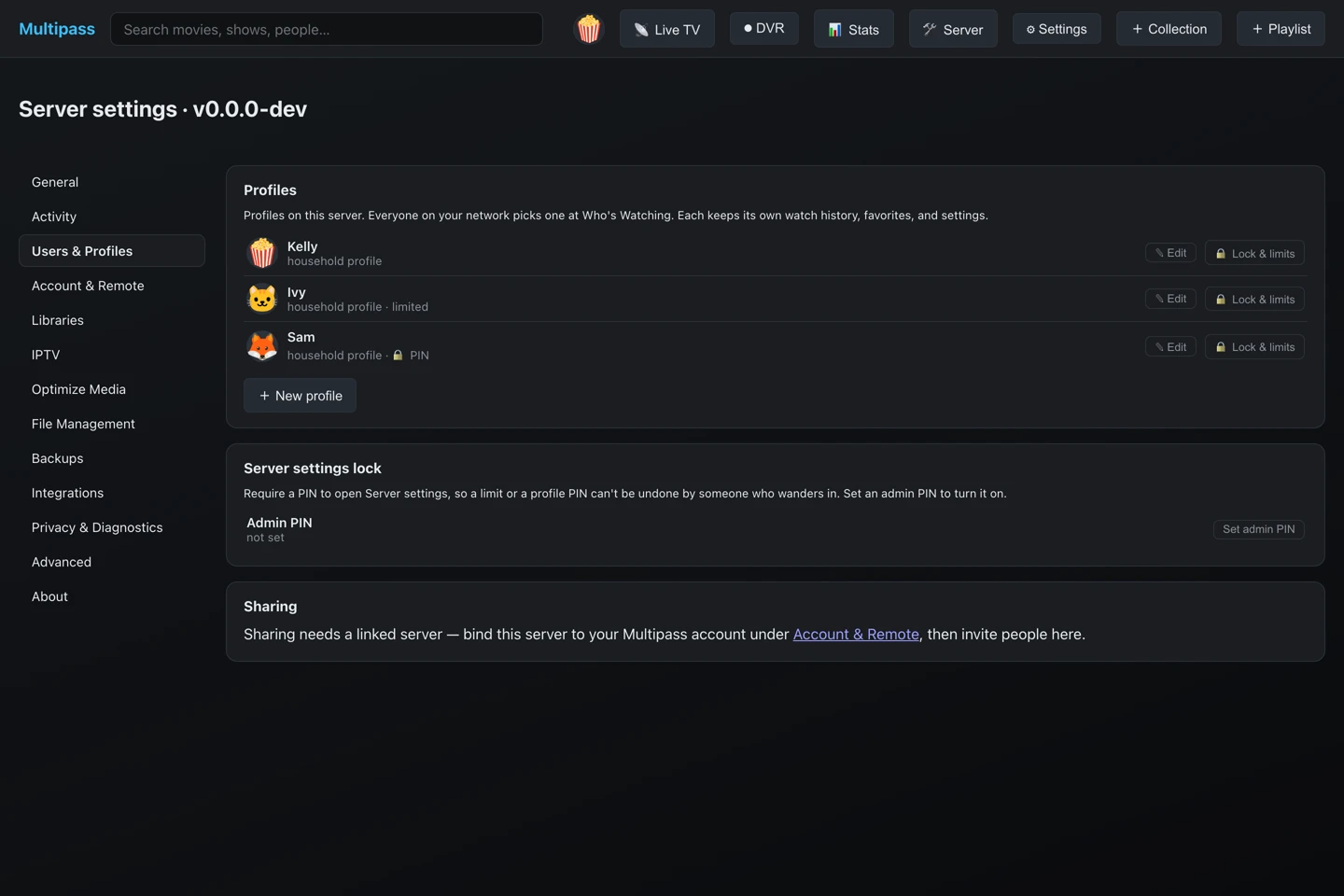
Profiles, limits, and the settings lock, in one place.
Setting it up
About two minutes, once
Add a profile per person, pick a limit for the ones that need it, and put a PIN on yours. It is one screen, and you will not need to come back to it.
- Add a profile and pick a face. Children do not need an email address.
- Set the rating cap and decide about unrated titles.
- Add PINs where you want them, including the settings themselves.
Questions
Can a child just pick a different profile?
They can pick an unlocked one, which is why the profiles that matter take a PIN. A locked profile cannot be opened without it.
Does this cost extra?
No. Profiles and parental controls are part of the free tier, like everything else that runs on your home network. Multipass does not charge for the safety features.
Does it work on every app?
Yes. The limits are applied by the server, so Apple TV, iPhone, iPad, Android, Google TV, and the browser all behave the same way.
Help decide what gets built next
Multipass is in active development, and what gets built next comes from what people actually ask for. The Discord is where that happens: say what your setup needs, see what is being worked on, and hear about releases first.